Firmware Update
In order to update the data logger firmware version using the DTU Configuration Tool software:
-
Download the .zip archive with the latest firmware version from our official website https://adgt.cz and unpack it.
-
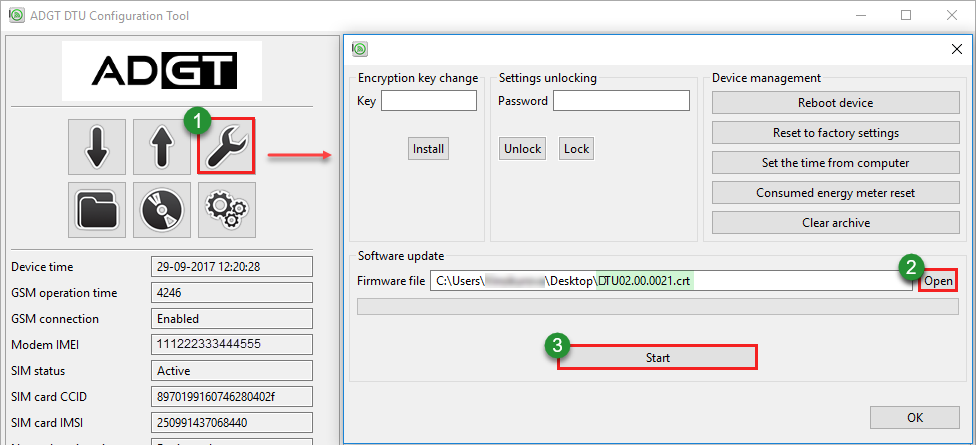
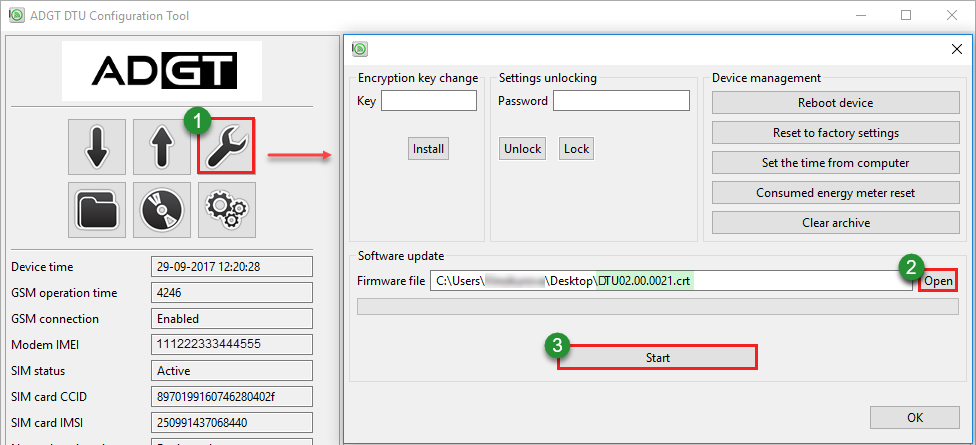
Click the Service functions button on the control panel.
-
In the window that opens, click Open, select on the PC the firmware file with extension .crt and click Start. After the successful firmware reflashing Data Logger will automatically reboot.